| Friendly Expert Computer Help - In Plain English | |||
 |
|||

|
|

|
|
|
|||
|
|
|
|
|
| PC911 > Reviews > Other > Antec Performance Plus 1080B SOHO File Server Case |
All fans are held in place by simply snapping in purple plastic screw-less fan mounts, making it a breeze to install fans safely.
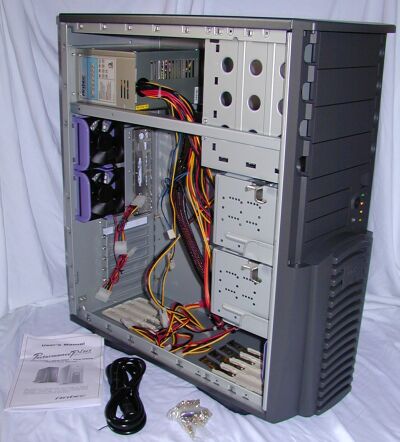 |
Removing the side panel reveals a roomy interior with easy access to all drive bays. The case is well-made and sturdy. Everything is tight and fits, there are no rattles or loose parts. The side panel closes tight due to small spring clips around the frame. All metal edges are folded, eliminating any chance of injury when working inside the case.
At the bottom of the case are clips that hold a total of 8 drive rails and keeps them safe and handy. These rails can be attached to any 5 ¼ inch drives, which allows you to slide the drive into one of the 4 front accessible 5 ¼ inch drive bays and snap it into place, a very user-friendly process.
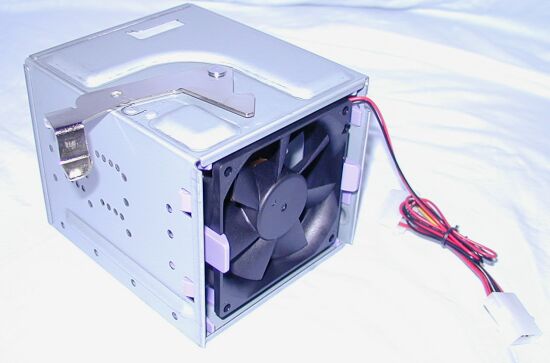 |
The 6 internal 3 ½ inch drive bays are contained in two drive cages. Here is another typical Antec touch: the drive cages can be removed by flipping a quick-release lever and then pulling the drive cage out, yet again avoiding screws and making it very easy to work with. One of the two drive cages has one of the two front fans mounted in it, allowing cool air to blow over the drives mounted here.
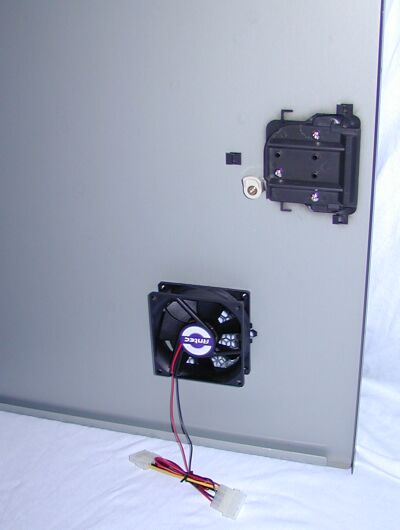 |
Looking at the inside of the left side panel, we see the 80mm fan that blows air over the area of the motherboard where the video card is found, adding additional cooling to heat producers like GeForce cards. Antec also offers individual replacement side panels with vent and fan as an optional upgrade for Performance and Performance Plus series cases without this feature.
|
||
| Back To Top Of Page | ||
|
||
|
[PC911 Home]
[News]
[How-To's]
[Tips & Tweaks]
[Reviews]
[Freeware]
[Best Prices]
[Links] [Search] [About PC911] [Link To PC911] [Support PC911] [Legalese] ©Copyright 1998-2022 PC911 Webmaster |
||